
AI PRD Generator: Tools That Write Requirements Documents (and What to Watch For)
Comparing AI PRD generators - from ChatGPT templates to context-aware tools - and how to get requirements documents that engineers can actually work from.
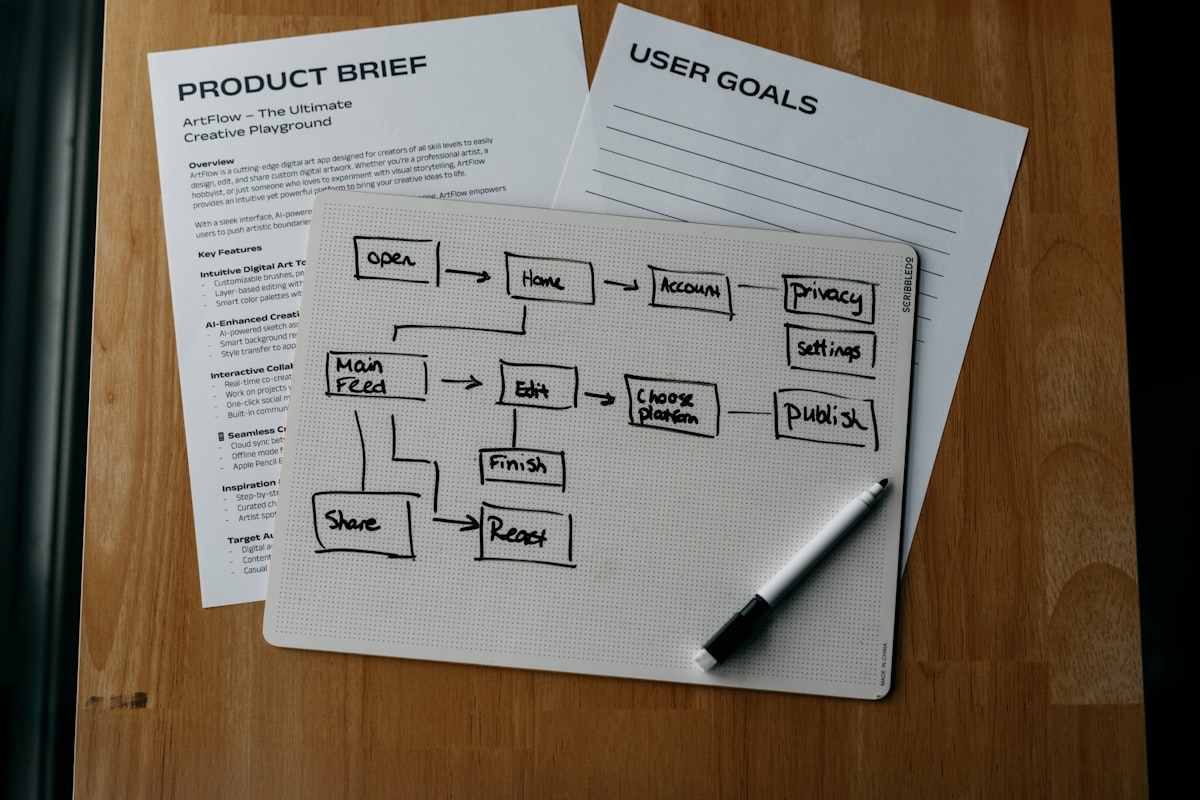
Every AI PRD generator promises to save hours on documentation. Most of them save about 20 minutes. Here’s why the gap exists and what actually produces useful output.
The Problem with Generic AI PRD Generators
The most common way PMs use AI for PRDs: open ChatGPT, paste in a few bullet points about the feature, ask for a PRD. Get a document back that’s well-formatted but missing most of the context that makes a PRD actually useful to engineers.
The output looks like a PRD. It has sections for goals, user stories, and acceptance criteria. But the requirements are vague because the AI only had the few bullet points you gave it, not the background context: the customer interviews, the constraints discussed in the planning meeting, the technical considerations from the engineering lead, the edge cases raised in the last sprint review.
Generic AI PRD generators are fast at producing the structure of a document. They’re not fast at producing a document with the substance that engineers need to build correctly the first time.
Free AI PRD Generator Tools
Several tools offer free PRD generation with varying levels of quality:
ChatGPT / Claude / Gemini - The most flexible. You can get reasonable first drafts by providing detailed context in your prompt. The quality ceiling is limited by how much context you’re willing to type in. Good for PMs who are comfortable with long-form prompting and have the context assembled.
GravityWrite - A free AI writing tool with a PRD template. Good for getting a quick structural skeleton. Less useful for complex products with specific technical constraints.
Taskade - Has PRD generation as part of its AI document suite. Works well for simple feature PRDs where the requirements are clear. Limited for products with complex stakeholder constraints or technical dependencies.
Figma - Has added AI-assisted document generation that can connect to your design files. Useful for products where the design is the primary artifact and the PRD needs to reference specific screens.
Template.net - Offers structured PRD templates that can be filled with AI assistance. Better as a formatting aid than a genuine requirements generator.
What Makes an AI PRD Generator Actually Useful
The tools that produce the most useful PRD output have two things in common:
They start from your actual project context - Not a blank prompt, but a tool that has already ingested your meeting transcripts, Slack discussions, customer interview notes, and existing tickets. The difference in output quality is significant when the AI has access to what was actually discussed versus only what you type in the prompt.
They connect to where the work lives - A PRD that exists only as a Google Doc requires manual translation into tickets. Tools that can both generate the PRD and export to Jira, Linear, Asana, or Azure DevOps reduce the friction between documentation and execution.
Telos approaches PRD generation from the context-aware angle. When you ask Telos to generate a PRD for a feature, it searches your meeting history, Slack threads, GitHub activity, and existing tickets to pull together the relevant background before writing. The result is a first draft that already includes the constraints discussed in planning, the edge cases raised in the last sprint, and the technical considerations the engineering lead mentioned in the channel.
You can refine the output iteratively (“make this more concise,” “add the mobile requirements from the Slack thread last week”) and export directly to your project management tool.
When Context Matters Most
For simple, well-understood features, any AI PRD generator will save time. The requirements are straightforward and a template with AI fill-in gets you 80% of the way there quickly.
For complex features - anything with significant technical constraints, multiple stakeholders, or requirements that evolved across several discussions - the context gap becomes critical. A generic tool produces a document that looks complete but misses the substance. Your engineers read it, have questions, and you end up in the back-and-forth loop that good requirements documentation was supposed to prevent.
The time savings from AI PRD generation are real. But they show up fully only when the AI has access to the context that makes requirements useful.
Getting Better Output from Any AI PRD Generator
Regardless of which tool you use, better inputs produce better outputs:
- Include the “why” - What problem does this feature solve? What customer behavior are you trying to change? AI-generated acceptance criteria is much better when the tool understands the goal.
- Include constraints explicitly - Technical limitations, device requirements, performance thresholds. These are easy to forget to mention and hard for AI to infer.
- Reference existing tickets and discussions - If there’s a related ticket or a relevant Slack thread, mention it. Better tools can pull this context automatically; for others, paste it in.
- Specify the audience - A PRD for engineers looks different from one for stakeholders. Generic generators produce generic output. Tell it what level of technical detail you need.
See also: product requirements document generator for a free tool, and user story generator for the related downstream step. Telos generates PRDs and work items from your actual meeting and Slack context.